
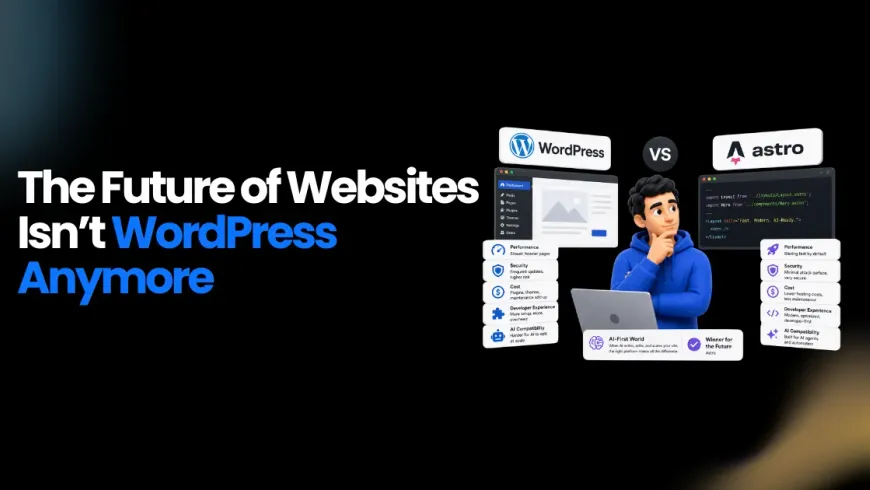
The way websites get built has changed fundamentally. AI coding agents write components, automated pipelines deploy changes in seconds, and content-as-code has become the default for teams that want to move fast. In that context, the WordPress vs Astro debate is no longer a matter of personal preference or familiarity. It is a structural question about which platform is built for the way modern development actually works.
WordPress powers roughly 42 to 43 percent of all websites globally as of 2026. That number is large, but market share is not the same as fitness for purpose. When AI agents need to edit your site at scale, when Core Web Vitals directly affect search rankings, and when security patches have become a daily job, the platform you build on matters more than it ever did. This article breaks down the Astro vs WordPress comparison across performance, security, cost, developer experience, and AI compatibility, and explains clearly which platform belongs in which hands.
Why WordPress Is Not Relevant Anymore for AI-First Web Development?
WordPress was not designed for the world we are in now. It was built as a blogging platform, extended over two decades through plugins, and scaled through sheer ecosystem momentum. That momentum came with structural costs that compound the larger a site grows.
The Maintenance Burden Is Relentless
In 2024, the WordPress ecosystem recorded 7,966 new vulnerabilities, according to Patchstack. That is nearly 22 security disclosures per day. While 96 percent of those are in plugins rather than core, that distinction offers little comfort to a business running 10 to 20 plugins on a live site. Each plugin is a moving part that requires updates, compatibility testing, and continuous monitoring. WordPress maintenance is not a one-time task. It is an ongoing operational cost.
Planning an Astro build? See what affects the development cost.
WordPress Is Incompatible with AI-First Development
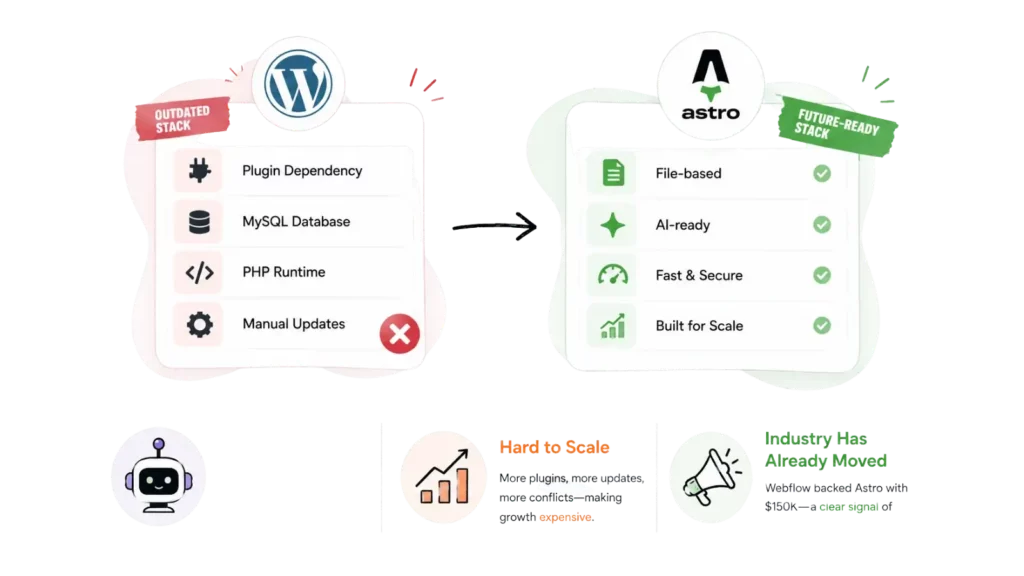
This is the most significant gap, and it is widening. AI coding agents — Claude Code, Cursor, Windsurf — work natively with files. Markdown documents, TypeScript schemas, versioned components stored in Git. They can read content, edit it, test it, and deploy it without any human in the loop. WordPress stores content in a MySQL database, behind a PHP runtime, accessible through an admin panel. No AI coding agent can open wp-admin and restructure 2,000 pages at scale.
The contrast is documented. ZenML rebuilt a 2,224-page site in approximately one week using Claude Code in an AI-assisted workflow because every page was a file in a repository. Lee Robinson migrated cursor.com to a code-based site in three days for $260 in AI tokens for the same reason. These workflows are not possible on WordPress.
The Industry Has Already Signaled the Shift
In September 2025, Webflow donated $150,000 to the Astro project and announced that its AI code-generation product would produce Astro sites by default. That is not a minor sponsorship. That is a public signal from one of the most influential platforms in the industry about where AI-first web development is heading.
Astro vs WordPress: Which Is the Best Choice for AI-First Website Development?
| Criterion | Astro | WordPress | Winner |
|---|---|---|---|
| Default JavaScript payload | Zero JS by default | 200–500KB+ on a typical blog | Astro |
| Lighthouse Performance score | 95–100 typical | 70–85 typical | Astro |
| Core Web Vitals pass rate | ~60% (HTTP Archive / CrUX 2024) | ~38% (same dataset) | Astro |
| LCP (like-for-like benchmark) | 0.44s average | 0.81s average | Astro |
| TTFB | 68.3ms | 83.1ms | Astro |
| HTML payload size | 10.9KB average | 38.9KB average | Astro |
| JavaScript payload size | 5.3KB average | 13.4KB average | Astro |
| Image optimization | Built-in, AVIF/WebP, srcset | Requires plugin | Astro |
| Security attack surface | Static HTML, no database, no admin panel | PHP + MySQL + admin panel + plugins | Astro |
| Ecosystem vulnerabilities (2024) | Few framework-level CVEs | 7,966 ecosystem CVEs (Patchstack) | Astro |
| Hosting cost, small site | $0–$20/month | $5–$50/month managed | Astro |
| Hosting cost, high-traffic site | Near zero on CDN free tier | $100–$500+/month | Astro |
| Visual content editor | Requires headless CMS pairing | Native Gutenberg editor | WordPress |
| Plugin ecosystem | Hundreds of integrations | 60,000+ plugins | WordPress |
| Version control | Git-native | Not native | Astro |
| TypeScript support | First-class throughout | Not native | Astro |
| Maintenance overhead | Framework updates only | Core, themes, plugins, security patches daily | Astro |
| AI agent compatibility | Full — content is code in Git | None — content is in a database | Astro |
1. Performance Is Structural, Not Configurable
In the WordPress vs Astro performance comparison, the gap is architectural. Astro ships zero client-side JavaScript by default. A page built from standard Astro components delivers pure HTML to the browser, with no JavaScript runtime required unless a specific interactive component needs it. WordPress ships whatever the active theme and plugins include, commonly 200 to 500KB of JavaScript on a simple blog before any optimization is applied.
A published Lighthouse benchmark comparing the same content before and after a WordPress-to-Astro migration showed Astro producing an LCP of 0.44 seconds against WordPress’s 0.81 seconds, a 46 percent improvement. HTML payload shrank by 72 percent. JavaScript payload shrank by 60.4 percent. These numbers come from an open-source benchmark script with reproducible results.
2. Core Web Vitals: A Direct Search Ranking Signal
Google uses Core Web Vitals as a ranking factor. Astro origins pass Core Web Vitals at approximately 60 percent, compared to 38 percent for WordPress origins, according to HTTP Archive and Chrome UX Report data. A 22-percentage-point gap on a metric that directly affects where your pages rank is not a marginal advantage. For any content-driven business competing on organic search, this difference shows up in traffic and revenue. This is one reason many companies that outsource SEO services focus heavily on Core Web Vitals and website performance during technical SEO audits.
3. Security: Eliminating the Attack Surface
The Astro vs WordPress security comparison is not balanced. Astro generates static HTML served from a CDN. There is no PHP interpreter, no database connection, no admin login page, and no file-upload handler. WordPress exposes all of those attack vectors by design, plus a plugin ecosystem that logged 7,966 CVEs in 2024 alone. Removing the attack surface removes an entire category of risk. Static sites are not hardened WordPress sites. They are a fundamentally different architecture.
4. AI-First Development Compatibility
This is where the WordPress vs Astro comparison is most consequential in 2027. Astro stores all content as Markdown and MDX files inside a Git repository. TypeScript schemas define what fields each content type can have. Every page, every component, and every piece of content is a file that an AI coding agent can open, read, edit, commit, and deploy. Claude Code, Cursor, and Windsurf work natively on Astro codebases.
WordPress stores content in a database. It is not accessible to AI coding agents without a custom integration layer. Teams adopting AI-first development workflows will find WordPress a bottleneck. Teams on Astro will find that AI agents can handle migrations, content restructuring, component creation, and deployment with minimal human involvement.
5. Hosting Costs That Scale Differently
Static HTML served from a CDN edge is cheaper to serve than a PHP process that runs on every request. A typical Astro site on Cloudflare Pages, Netlify, or Vercel costs nothing per month on free tiers. Cloudflare Pages includes unlimited bandwidth on the free tier. A comparable WordPress site on managed hosting runs $5 to $50 per month at the low end, and $100 to $500 or more per month at scale. Over three to five years, the hosting cost differential for a single site can run into thousands of dollars.
6. Maintenance: Ongoing Tax vs. Fire and Forget
WordPress maintenance is continuous work. Core updates, theme updates, plugin updates, security patches, database backups, and uptime monitoring all require regular attention. The 7,966 ecosystem vulnerabilities disclosed in 2024 make this a real operational risk, not a theoretical one. An Astro site, once deployed, requires only periodic framework dependency updates. There are no security-critical plugins to patch, no database to back up, and no admin panel to protect from brute-force attacks.
7. Developer Experience and TypeScript
Astro is built on Vite and ships with first-class TypeScript support throughout the stack. Content Collection schemas are defined with Zod and validated at build time. A post missing a required field fails the build instead of shipping broken HTML to production. Editors get autocomplete in any TypeScript-aware editor. WordPress is PHP-based with no native TypeScript, and developer tooling is largely community-assembled. For any team running a modern JavaScript or TypeScript stack, the Astro vs WordPress developer experience comparison has a clear outcome.
8. Long-Term Backing and Ecosystem Momentum
Astro was acquired by Cloudflare on January 16, 2026, and remains MIT-licensed and platform-agnostic. Named production users cited in the Cloudflare acquisition press release include Unilever, Visa, and NBC News. The Astro Ecosystem Fund is backed by Webflow, Netlify, Wix, and Sentry. Weekly npm downloads grew from approximately 360,000 at the start of 2025 to over 900,000 by year-end, a 2.5 times increase in twelve months. Stack Overflow’s 2025 Developer Survey ranked Astro the fourth most admired web framework at 62.2 percent. The trajectory is consistent and upward.
Is poor website performance affecting your SEO? See how an Astro migration can help.
Migrate to Astro With a Team That Has Done It Before
Enacton specializes in Astro development and platform migration, from WordPress, Wix, and Webflow to fast, maintainable, AI-ready Astro sites. Whether you are building a new site from scratch or moving an existing one, our team handles architecture, content migration, URL preservation, and deployment so nothing gets missed.
[Get a Free Migration Assessment]
When and Who Should Consider Astro for Their Website Development?
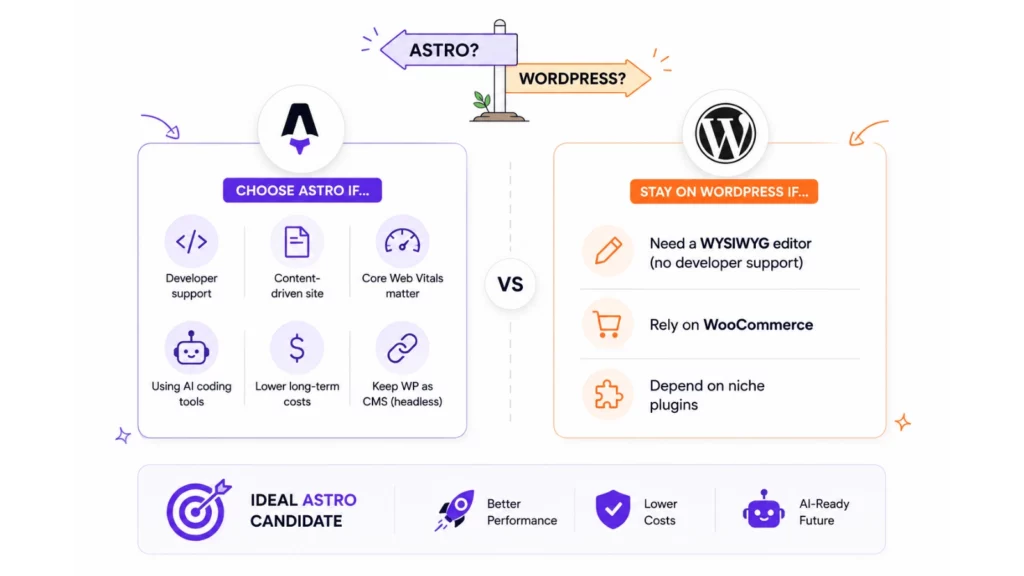
The WordPress vs Astro decision comes down to one question: who will be editing the site, and through what workflow?
Astro is the right choice when:
-
Your team includes developers or works with a development agency. Astro requires JavaScript, Git, and a CLI. The payoff is full code ownership, near-zero maintenance overhead, and complete AI agent compatibility.
-
Your site is content-driven: a marketing site, professional services firm, law practice, medical office, documentation hub, or technical publication. These sites gain the most from static HTML, fast Core Web Vitals, and low hosting costs. The Bourne Law Firm’s published WordPress-to-Astro migration, which produced 186 MDX pages and dropped hosting costs from $50 to $200 per month to $0 to $20 per month on Netlify, is a representative example of this profile.
-
Core Web Vitals affect your business. If page speed influences conversion rates or organic search rankings, the measured performance gap between Astro and WordPress is commercially meaningful.
-
Your team is using AI coding tools. If developers on your team use Claude Code, Cursor, or Windsurf, Astro’s content-as-code model lets those tools touch every part of the site: content, components, configuration, and deployment.
-
You want to reduce long-term operational costs. Between hosting savings and the elimination of maintenance overhead, Astro sites cost significantly less to run over a two-to-five-year horizon.
-
You want to keep WordPress as your editorial tool. A headless WordPress plus Astro frontend pattern lets editors continue working in wp-admin while the frontend gains Astro’s performance and security profile.
Stay on WordPress when:
-
Non-technical editors need a WYSIWYG interface and there are no plans to add developer capacity. WordPress’s Gutenberg editor remains the best native visual content editing experience in this comparison.
-
The business runs on WooCommerce and no one wants to rebuild on a headless e-commerce backend.
-
The site depends on a niche plugin with no equivalent in the broader ecosystem.
If you are exploring CMS architectures beyond this comparison, reviewing modern WordPress alternatives provides a broader look at headless and static options. The ideal Astro vs WordPress migration candidate is a content-driven business whose WordPress site has become a maintenance liability, whose search rankings are being affected by slow Core Web Vitals, or whose development team has adopted AI coding workflows that WordPress simply cannot support. Before kicking off an engineering plan, consulting our breakdown of Astro development costs can help frame realistic budget expectations.
Is WordPress slowing you down? See whether Astro is the right migration path.
Conclusion
The WordPress vs Astro comparison in 2027 has a clear direction for content-driven websites. WordPress remains the dominant platform by market share, and it remains the right tool for non-technical teams that need a visual editing interface above everything else. But for businesses that care about performance, security, long-term cost, and the ability to build with AI tools, the Astro vs WordPress choice points firmly in one direction.
The numbers are not close. A 46 percent LCP improvement. HTML payloads 72 percent smaller. A 22-percentage-point gap on Core Web Vitals pass rates. Near-zero hosting costs on free CDN tiers. A security model that eliminates entire categories of risk. And a development workflow that AI agents can participate in natively, where WordPress cannot.
The question for most content-driven businesses is no longer whether Astro is the better platform. It is whether they have the right team to make the move.
Enacton’s Astro development and Astro migration services are built for exactly this transition. From auditing your existing WordPress setup to rebuilding your site in Astro, preserving every URL, migrating every piece of content, and deploying to a zero-maintenance CDN infrastructure, the team handles the entire process. Whether you are starting fresh or migrating an established site, Enacton delivers Astro builds that are fast, secure, and built to work with the AI development tools your team is already using.
See what your website could become after an expert Astro migration.
FAQs
Is Astro better than WordPress for SEO?
Yes, in measurable terms. Astro origins pass Core Web Vitals at approximately 60 percent versus 38 percent for WordPress origins, according to HTTP Archive and Chrome UX Report data. Static HTML gives search engine crawlers complete content in the first response, with no client-side rendering required. Astro also ships a built-in sitemap generator, canonical URL support via Astro.url, and a native image optimization pipeline that eliminates Cumulative Layout Shift. The SEO Lighthouse score on a published WordPress-to-Astro migration benchmark was 100 on Astro versus 86 on the same content in WordPress.
Can I keep WordPress as my CMS and use Astro as the frontend?
Yes. This is called the headless WordPress plus Astro pattern. Editors continue working in wp-admin. Astro fetches content via the WordPress REST API or WPGraphQL at build time for static sites, or on demand for SSR. A webhook from WordPress triggers a rebuild when content is published. This approach preserves editorial workflows while giving the frontend Astro’s full performance and security profile.
How long does a WordPress-to-Astro migration take?
A personal blog with content already in good shape can be migrated in one to three days. A small business marketing site typically takes one to three weeks of agency time. The most important variable is URL structure: maintaining existing URLs and configuring 301 redirects correctly is the primary SEO risk in any migration, and it requires careful planning before DNS cutover.
Is Astro free to use?
Yes. Astro is MIT-licensed and costs nothing. Hosting on Cloudflare Pages, Netlify, or Vercel is free for most small to medium sites. The framework has no licensing fees, no feature gates, and no per-seat pricing. The only costs are optional: a headless CMS subscription if non-technical editors need a visual authoring interface, and a paid hosting tier for very high-traffic deployments.
Which major brands use Astro in production?
According to Cloudflare’s January 2026 acquisition press release, named production users of Astro include Unilever, Visa, and NBC News. Cloudflare uses Astro and Starlight for its own developer documentation. Webflow’s AI code-generation product produces Astro sites by default, and the Wix Vibe creator generates Astro projects. The Astro Ecosystem Fund is backed by Webflow, Netlify, Wix, and Sentry.
What is the difference between Astro’s static and server rendering modes?
Astro supports three rendering modes. Static mode renders all pages to HTML at build time, which is the default and the best fit for content sites. Server mode renders all pages on demand per request, suited to apps that need request-time data. Hybrid mode is static by default, with individual routes opting into server rendering via a single export. In practice, hybrid mode is the standard for real-world sites that need mostly static pages with a few dynamic routes such as a contact form or a login page.




![DevOps Best Practices for Startups in 2027 [Tools Included]](/assets/images/Devops--Co9IGgaD_16PllR.webp)